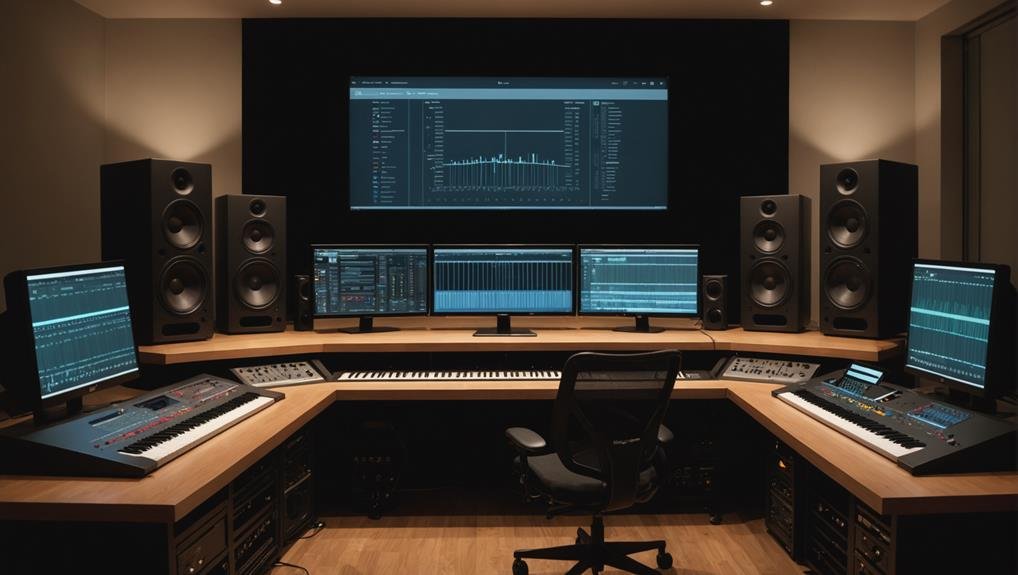
The world of music is constantly evolving, and sometimes, the most captivating sounds emerge from simply slowing things down and adding space. If you've ever found yourself lost in the dreamy, emotional depths of a track that feels like it's been stretched in time and dropped into a cathedral, you understand the power of slowed + reverb. We’re diving deep into the Top Slowed + Reverb Generators & Plugins, reviewing the tools that make these transcendent sonic experiences possible, helping you craft those deeper, more resonant sounds that genuinely hit harder.
At a Glance: Your Guide to Slowed + Reverb
- What it is: Slowed + reverb involves decreasing a song's tempo and adding an echoey, spacious effect, making music feel heavier, more emotional, and expansive.
- Why it works: It allows your brain more time to process the sonic details and emotional weight within a larger-than-life soundstage.
- Easy Access: Online generators and phone apps offer quick, browser-based or mobile edits for instant gratification.
- Pro Control: Digital Audio Workstations (DAWs) with dedicated plugins provide granular control for professional-grade results.
- Key Settings: Subtle adjustments to tempo (80-90% original), reverb mix (20-30% wet), and room size are crucial for avoiding muddy edits.
- Copyright Note: Creating these edits is fine for personal use, but uploading or monetizing them can lead to copyright issues.
- Our Top Picks: We'll explore the best tools for every skill level, from web-based quick fixes to studio-grade plugins.
Understanding the Hypnotic Pull of Slowed + Reverb
Imagine a familiar song. Now, picture it playing a little slower, each beat given more weight, each note lingering just a fraction longer. Then, imagine that sound not confined to your headphones but radiating within a vast, echoing space – like a concert hall, an empty cavern, or a distant dream. That's the magic of slowed + reverb.
This isn't just a trend; it's a profound way to re-engage with music. Slowing music down amplifies moments, making drums feel colossal, hi-hats glide, and the silence between notes become incredibly poignant. Vocals transform, turning a rapid-fire line into a gloomy reflection or a thoughtful introspection. The added reverb emulates a "room" around the music, pushing sounds into a distant, often melancholic, dreamlike state. Together, this combination works on an emotional level, giving your brain more time to soak in every detail within a larger-than-life sonic environment. It's the perfect soundtrack for late-night drives, focused study sessions, or those reflective "sad-girl-hours" when you just need the music to feel as deep as your thoughts.
Why You Need Dedicated Tools for Deeper Sounds
While the concept might seem simple – just slow it down and add echo – achieving a polished, professional sound requires more than basic video editor effects. Dedicated slowed + reverb generators and plugins are engineered to handle audio manipulation with precision, preserving audio quality, managing pitch, and offering nuanced control over the "space" of your sound.
Attempting to recreate this effect with generic tools often leads to tinny, artifact-ridden audio, pitch distortion that sounds unnatural, or reverb that simply blurs the track into an indistinguishable mess. Good tools ensure pitch remains natural (unless you want to drop it), tempo changes are smooth, and the reverb adds depth without sacrificing clarity.
Instant Gratification: Online Slowed + Reverb Generators
For those moments when inspiration strikes and you need a slowed + reverb edit now, browser-based generators are your best friend. They strip away complexity, offering a straightforward path to transforming your tracks without needing to download software or navigate intricate interfaces.
These tools typically follow a consistent, user-friendly pattern:
- Upload Your Audio: Start with a clean, high-quality audio file. The better the source, the better your slowed + reverb outcome.
- Adjust the Tempo: You'll usually find a slider or input box to dial in your desired speed. A general rule of thumb is to begin with a small tempo drop – think 10-20% slower than the original. Going too extreme too quickly can kill the groove.
- Add Reverb: Here, you'll control the "wetness" (how much reverb is mixed in) and often the "room size" (how big the simulated space is). Again, moderation is key; a moderate amount of reverb usually sounds better than maxing it out.
- Preview and Tweak: The best generators let you loop a specific section, like the chorus, while you adjust settings. This instant feedback loop is invaluable for finding that sweet spot.
- Download: Once satisfied, export your high-quality file. Most generators offer MP3, and sometimes WAV, options.
Key controls to pay attention to in these online tools include speed/tempo, pitch (to slightly drop vocals or keep them natural), mix (for reverb wet/dry balance), and room size. Remember, subtle changes generally yield far better results than wild, sweeping adjustments. For those eager to experiment without any downloads, our slow and reverb generator offers a streamlined, effective experience right in your browser.
Edits on the Go: Top Mobile Apps for Slowed + Reverb
Your phone isn't just for listening; it's a powerful pocket studio. A growing number of mobile apps now offer robust slowed + reverb capabilities, letting you transform tracks directly from your music library, anywhere inspiration strikes.
When evaluating phone apps, look for these core features:
- Tempo/Speed Slider: Essential for stretching the track.
- Pitch Control: Often an independent knob that lets you slightly drop the vocals or entire track for a moodier feel, without necessarily affecting tempo.
- Reverb Section: This should include a "mix" control (how much of the effect you hear) and ideally a "size" or "decay" setting to define the simulated space.
- High-Quality Export: Ensure the app can save your edits as a decent quality audio file (MP3 at 320 kbps or WAV is preferred).
- Minimal Ads: While free apps often rely on ads, excessive pop-ups can severely disrupt your workflow. Look for a clean user experience.
Good mobile apps simplify the process, focusing on intuitive interfaces that make tweaking settings a breeze. They're perfect for creating custom study playlists, sharing unique versions with friends, or simply enjoying your favorite tunes in a new, deeper dimension during your commute.
Professional Depth: Desktop DAWs and Dedicated Plugins
For the ultimate control, precision, and sonic fidelity, nothing beats a Digital Audio Workstation (DAW) paired with dedicated audio plugins. This is where advanced users, producers, and content creators unlock the full potential of slowed + reverb, moving beyond simple global effects to truly sculpt the sound.
DAWs like Ableton Live, Logic Pro, FL Studio, Pro Tools, and Studio One allow you to:
- Time-Stretch with Finesse: Precisely slow down a track while preserving pitch (or deliberately altering it) using advanced algorithms that minimize artifacts.
- Multi-Track Manipulation: Split songs into individual elements (if you have the stems) or apply effects to specific sections.
- Automation: Create dynamic changes over time, like having reverb swell during a chorus and recede during a verse, or gradually dropping tempo for an emotional build-up.
- Effect Stacking: Combine multiple reverb types, add subtle delays, or use EQ to fine-tune the low end after slowing.
While DAWs offer the canvas, the true magic often comes from specialized plugins.
Top Reverb Plugins for Professional Depth
Reverb plugins are the heart of the "space" component of this effect. These are trusted by professionals to add depth, movement, and atmosphere, transforming a dry signal into something lush and expansive.
- FabFilter Pro-R 2: A modern classic. Pro-R 2 offers incredibly transparent, natural-sounding reverb with an intuitive, visual interface. Its unique decay rate EQ allows you to shape the reverb tail, making it perfect for both subtle room enhancement and creating massive, evolving spaces. If you want precision and pristine quality, this is a top contender.
- Valhalla VintageVerb: Delivering lush, characterful reverb inspired by classic hardware, VintageVerb is a favorite for its diverse algorithms that emulate iconic reverbs of the '70s, '80s, and beyond. It’s warm, musical, and excels at creating deep, atmospheric washes. For that authentic, nostalgic slowed + reverb feel, it's hard to beat.
- LiquidSonics Seventh Heaven: If you crave realism, Seventh Heaven is renowned for faithfully recreating the legendary Bricasti M7 hardware reverb. This plugin excels at generating incredibly natural, three-dimensional spaces, making it ideal when you want the "room" to feel absolutely authentic and high-end.
- Universal Audio’s Lexicon 224 Plugin: Recreating one of the most revered digital reverb units, the Lexicon 224 plugin brings vintage warmth and studio-grade detail to your DAW. It's known for its rich, expansive reverbs that became a staple in countless classic recordings, offering that distinct '80s sheen.
- iZotope Neoverb: This plugin combines AI-powered EQ matching with versatile blending tools, allowing for professional results with less guesswork. Neoverb helps you avoid muddying your mix by suggesting EQ curves for your reverb, making it easier to integrate the effect seamlessly without sacrificing clarity.
- Arturia Rev PLATE-140: For the unmistakable sound of vintage plate reverb, the Rev PLATE-140 delivers warmth, smooth decay, and a dense, shimmering quality. Plate reverbs are fantastic for vocals and drums in slowed tracks, adding a classic, rich character.
- Soundtoys Little Plate: Another excellent plate reverb option, Little Plate offers the classic richness of analog plate reverb in a streamlined, user-friendly plugin. It's known for its thick, vibrant sound and simplicity, allowing you to dial in that classic sheen quickly.
While the core of "slowed + reverb" focuses on those two elements, delay plugins often complement the effect beautifully, adding rhythmic echoes and further extending the sense of space. They can provide an additional layer of depth, creating textures that range from subtle rhythmic repeats to ethereal washes. Think of them as reverb's close cousin, sometimes used subtly to enrich the overall atmosphere.
Mastering the Slowed + Reverb Effect: Pitfalls and Best Practices
Creating compelling slowed + reverb tracks isn't just about applying effects; it's about making deliberate, artful choices. Many "bad" edits share common, fixable flaws. Here's how to avoid them and dial in perfect settings:
Slow Less Than You Think
This is perhaps the most common mistake. Over-slowing a track can completely drain its energy and groove, turning a vibrant song into a trudging crawl. The sweet spot for most tracks is 80-90% of the original tempo. That's a 10-20% reduction. Going down to 50% often kills the very essence of the music. Always start small and gradually decrease until it feels right, rather than aiming for the slowest possible speed.
Use Reverb Like Seasoning
Reverb should enhance, not overpower. Think of it as seasoning a dish – a little goes a long way to add flavor and depth, but too much can ruin the meal. Start with a modest reverb mix, around 20-30% wet, and a medium room size. This creates a spacious, dreamlike vibe without making the track sound blurry, distant, or washed out. The goal is to make the song feel bigger, not simply echo endlessly.
Watch the Low End
Slowing a track down can dramatically alter the balance of the bass and kick drum. What was once tight and punchy can become boomy and overwhelming, especially with added reverb. Always listen critically to the intro, the main hook, and any beat drops. If the low end feels muddy or overpowering, consider using an EQ to gently roll off some of the extreme low frequencies (below 40-60Hz) or slightly reduce the bass volume in your mix.
Test on Multiple Devices
Your studio headphones might make an edit sound perfect, but how does it translate? Always test your slowed + reverb tracks on a variety of playback systems: phone speakers, car stereo, consumer headphones, and even a Bluetooth speaker. Different systems reveal different issues, especially in the low end or with excessive reverb. What sounds clear on one might be a muddy mess on another.
Export in Decent Quality
All your hard work can be undone by a poor-quality export. Always aim for 320 kbps MP3 or WAV. Higher quality files preserve the intricate details of stretched vocals and long reverb tails, preventing audible artifacts, compression distortions, or a general loss of clarity. A WAV file is always preferred for a master copy before converting to other formats for distribution.
Your Go-To Workflow for Perfect Slowed + Reverb Tracks
A consistent, reliable routine makes all the difference in achieving polished results every time. Here’s a proven workflow:
- Start with the Cleanest Source: Always begin with the highest quality version of the song you can find. A clean source material minimizes artifacts when stretching and reverbing.
- Dial in the Tempo: Drop the tempo by approximately 20-25%. Crucially, preserve the original pitch initially. Listen, then decide if a slight pitch drop (e.g., -1 or -2 semitones) enhances the mood further.
- Add Your Reverb Layer: Introduce a medium reverb with a 20-30% mix (wetness) and a middle-of-the-road room size. The aim is to make the song feel grander and more expansive, but never sacrificing its clarity or core groove.
- Loop and Fine-Tune the Hook: The chorus or main hook is often where the slowed + reverb effect truly shines. Loop this section and make tiny, incremental adjustments to the reverb mix, room size, low end, and pitch until it creates the perfect emotional impact.
- Listen Critically from Start to Finish: Once you're happy with the key sections, listen to the entire track. This helps you catch any contextual clashes, moments where the reverb might become too much, or sections where the tempo feels off.
- Export Your Master: Export your final track as a WAV file first. This uncompressed file is your master copy. From there, you can convert it to other formats (like 320 kbps MP3) for sharing or specific platforms as needed.
Navigating the Copyright Landscape
It's crucial to understand that creating a slowed + reverb version of a song does not grant you ownership or new rights to the original composition. For private listening or sharing with friends, you're generally in the clear. However, uploading full tracks to public platforms or using them in monetized content, such as YouTube videos or Twitch streams, can lead to copyright issues.
Platforms have sophisticated content ID systems that can:
- Claim Audio: Direct all ad revenue from your content to the original rights holder.
- Mute or Remove: Parts or all of your video may be muted or taken down.
- Strikes: Repeated violations can lead to channel strikes and even termination.
For content creators, the safest approach is to either use royalty-free music that explicitly grants editing permissions or to accept that such edits are for engagement and creative expression rather than direct monetization. Always prioritize respecting the intellectual property of artists and rights holders.
Choosing the Right Tool for Your Sound Journey
With so many options available, how do you pick the best slowed + reverb generator or plugin for your needs?
- For Quick Edits & Casual Listening:
- Recommendation: Online generators or mobile apps.
- Why: They offer immediate results, require no software installation, and are perfect for personal enjoyment or sharing with friends without deep diving into settings.
- For Content Creators & Aspiring Producers:
- Recommendation: A combination of a DAW and dedicated reverb plugins.
- Why: This setup provides unparalleled control over every aspect of the effect, from precise tempo manipulation to intricate reverb shaping and automation. You can achieve professional-grade results that stand out. Tools like Valhalla VintageVerb or FabFilter Pro-R 2 are excellent starting points for adding high-quality reverb.
- For Experimentation & Unique Textures:
- Recommendation: Exploring delay plugins alongside reverb, or reverbs with extensive modulation.
- Why: Delay, while distinct from reverb, can add complex rhythmic echoes and create even deeper, more ambient textures when layered creatively. Plugins like Soundtoys EchoBoy or Valhalla Delay, or even specific reverb types, can push your sound design further.
The Enduring Appeal of Deeper Sounds
The slowed + reverb phenomenon isn't just a fleeting trend; it has evolved into a new, legitimate way of experiencing and interacting with music. It allows listeners to engage more profoundly with lyrics, re-imagine familiar tracks in a fresh context, and even convert high-energy songs into atmospheric background noise.
Its blend of nostalgia, drawing on the warmth of classic effects, and modernity, enabled by precise digital manipulation, contributes to its broad and lasting appeal. Furthermore, as tools become more intuitive and accessible, the barrier to entry for experimentation continues to lower, ensuring that this dynamic and emotionally resonant sound will continue to evolve and captivate listeners for years to come.
Ready to dive in? Whether you opt for a quick online generator or invest in a powerful DAW and plugins, the world of slowed + reverb invites you to explore familiar music in new, profound ways. Don't be afraid to experiment, trust your ears, and discover the deeper sounds waiting to be uncovered.